Group Management
Inbox Groups — Organize Conversations with Clarity
Group management helps you keep different customer conversations organized and easy to track. With just a few clicks, you can create folders, route chats, and keep your workflow clean.
Create a New Group
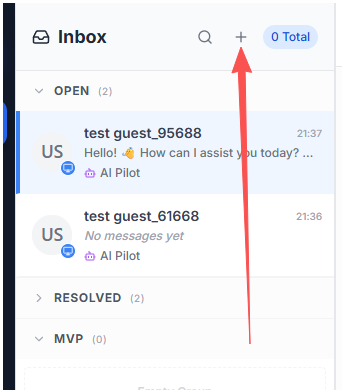
- In the conversation list header, click the + button.
- Enter a group name and save.
System Groups (Default)
Every agent account includes two default system groups:
- Open: All new conversations land here by default.
- Resolved: Any conversation you mark as resolved is moved here automatically.
Move a Conversation to a Group
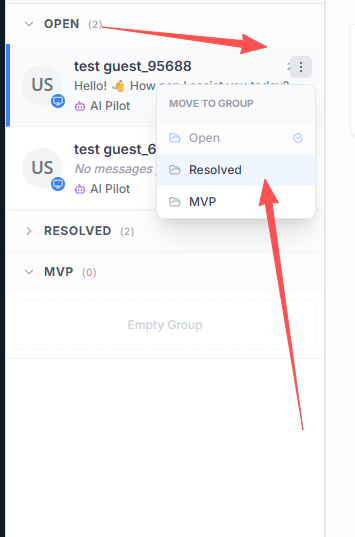
- Hover over a chat item and click the kebab menu (three dots) on the right.
- Select the target group from the menu.
With these simple steps, you can keep your inbox clean, focused, and easy to scale.